Radio from any song
Start a radio from a song or an artist and MusicLab+ keeps adding similar songs from your library, endlessly. It uses Navidrome’s Last.fm similarity and falls back to genre, era, and artist.
In TestFlight beta · Coming soon to iPhone
MusicLab+ plays the library you already host on Navidrome. Every day it builds fresh mixes from your own music, plays endless radio from any song, and takes it all to CarPlay. No account, no ads, no tracking.
Requires a Navidrome or other OpenSubsonic-compatible server
Your library.
Your server.
Playlists that build themselves.
You went to the trouble of hosting your own music. MusicLab+ learns from what you play and what you like, and turns a big library back into something you actually listen to.
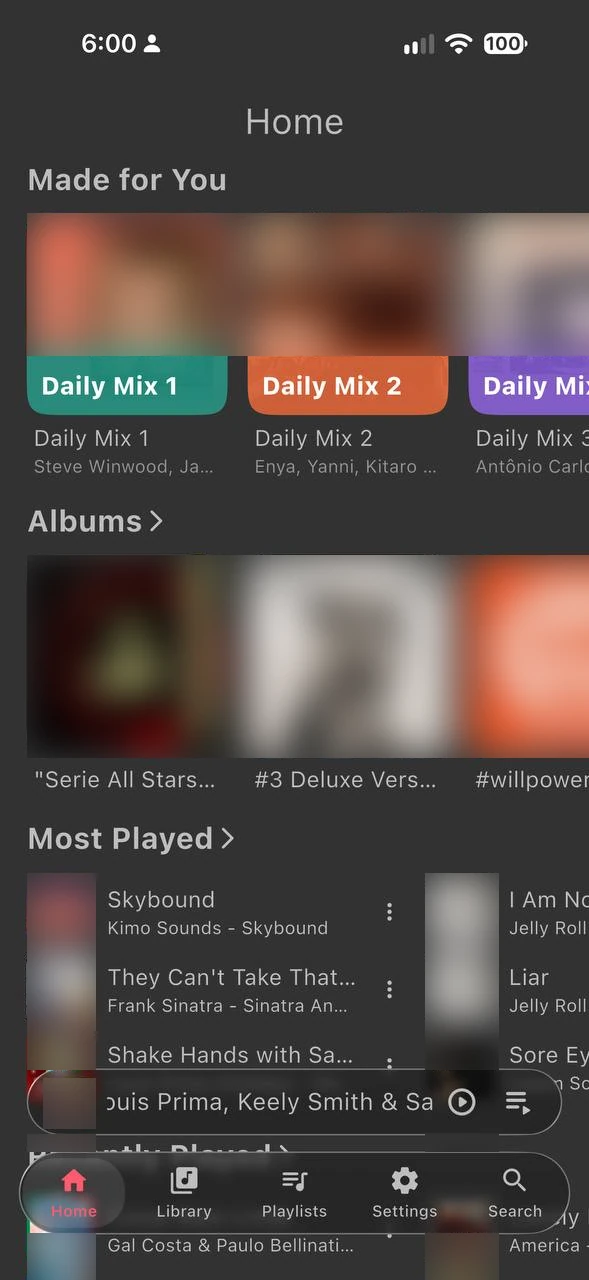
Made for You
Every day MusicLab+ builds up to six mixes from your library, shaped by what you play and what you give a thumbs up. Old favourites sit beside songs you forgot you owned.
Radio and taste
Radio never runs dry, and two buttons teach MusicLab+ what belongs in the rotation.
Start a radio from a song or an artist and MusicLab+ keeps adding similar songs from your library, endlessly. It uses Navidrome’s Last.fm similarity and falls back to genre, era, and artist.
A thumbs up favourites the song on your server, so it counts everywhere you listen, and it feeds the favourites side of your Daily Mixes.
A thumbs down skips the song and keeps it out of your mixes and radio from then on. Say it once.
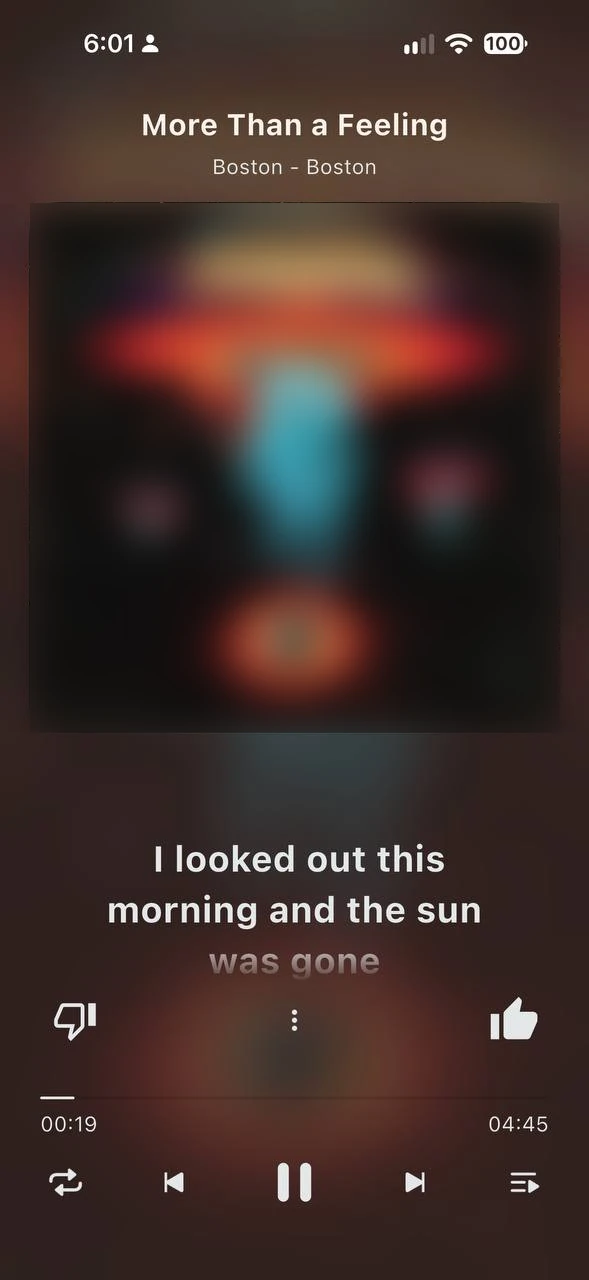
Now Playing
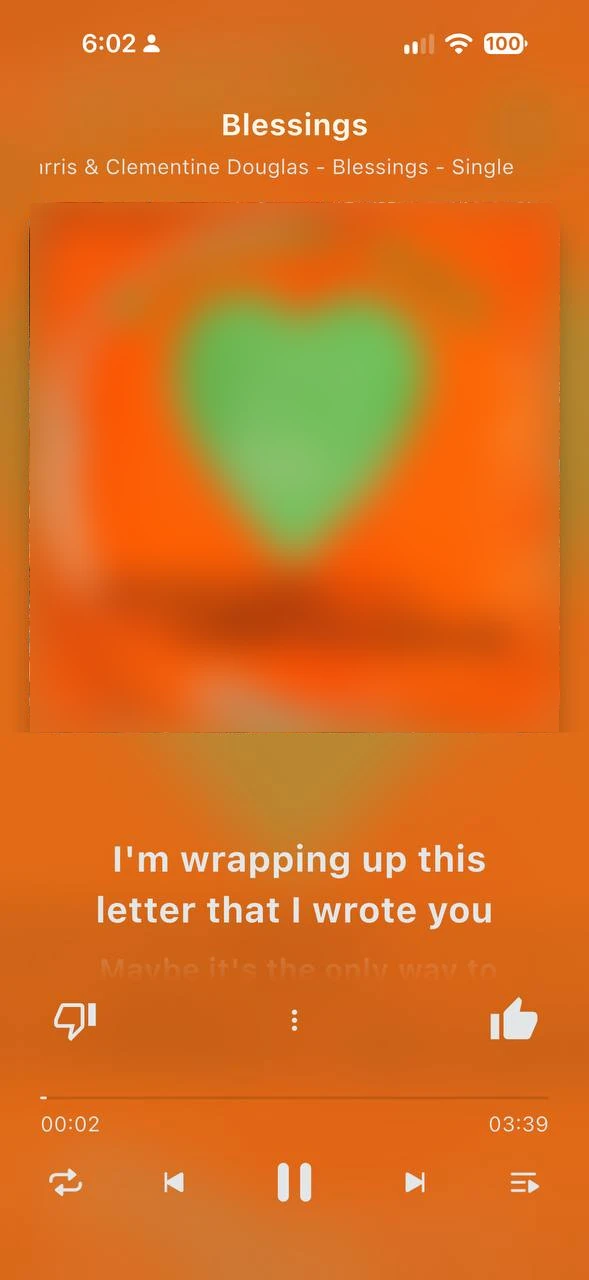
Synced lyrics scroll with the song, line by line, over a Vivid look coloured by the album artwork. They come from your server, or from LRCLIB when your server has none.
Screens
The player
Everything you expect from a music player, built for a library that lives on your server.
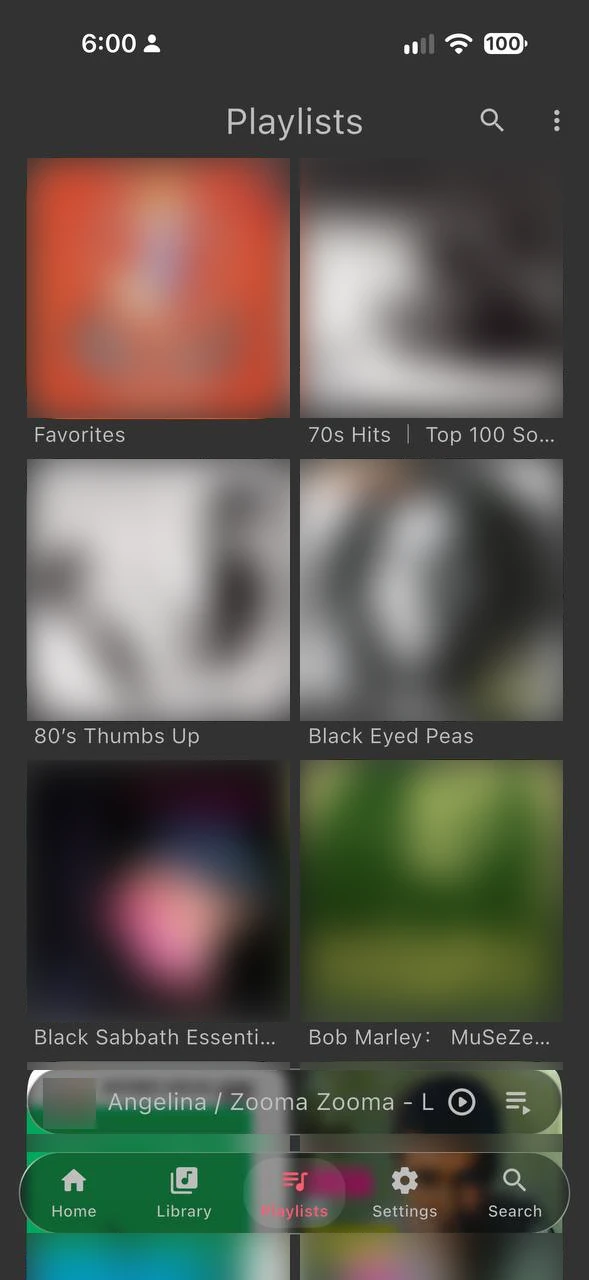
Home, Artists, Library, Playlists, and Made for You on the dashboard, with album artwork throughout.
A built-in equalizer for your headphones or car, and a sleep timer for the last album of the night.
Custom fonts, home-screen widgets, and an artwork swipe on Now Playing to move between songs.
Bring your own server
MusicLab+ is built for Navidrome and other OpenSubsonic-compatible servers. It talks directly to your server: browsing, streaming, favourites, and saved mixes all live there. It can also play from Emby, WebDAV, and files on your iPhone.
There is no MusicLab+ account, no tracking, and no advertising. Nothing is stored on Lab Architect servers. The one outside request is a lyrics lookup on LRCLIB, which sends only a song’s title, artist, album, and length.
MusicLab+ does not include any music. You need a Navidrome or other OpenSubsonic-compatible server with your own library on it.
Pricing
The download is free, with the full player inside. MusicLab+ Unlock is a single purchase that is yours to keep. No subscription.

Free download
MusicLab+ Unlock
No subscription · Family Sharing
Purchased through Apple in the iPhone app. Apple shows the price for your storefront before you buy.
Questions
A Navidrome server, or another server that speaks the OpenSubsonic API, holding your music. MusicLab+ is a player for that server; it does not sell or stream music of its own. It can also play from Emby, WebDAV, and files on your iPhone.
Every day MusicLab+ builds up to six mixes from your own library, using what you play and what you give a thumbs up. Each mix is roughly 60% favourites and 40% songs you have not played lately. It never puts the same artist back to back and never includes a song you gave a thumbs down.
Radio asks Navidrome for songs similar to the one you started from, which Navidrome gets from Last.fm when its agents are configured. Without that, MusicLab+ falls back to matching genre, era, and artist from your library.
The download is free and includes the full player, Radio, and Daily Mix 1. MusicLab+ Unlock is a one-time purchase that adds all the Daily Mixes, saving mixes to your server, the equalizer, and custom fonts. There is no subscription, and Family Sharing is supported.
No. There is no account, no tracking, and no advertising. The app talks to your own server; the only other request it makes is a lyrics lookup on LRCLIB when your server has none, which sends just the song’s title, artist, album, and length. Nothing is stored on Lab Architect servers.
MusicLab+ is in TestFlight beta now and is coming soon to the App Store for iPhone.
MusicLab+
Your server. Smarter playlists.
Requires a Navidrome or other OpenSubsonic-compatible server.